Sequential Paste turns anything you copy into a queue. Each press of Ctrl+Shift+V pastes the next line, value or spreadsheet cell, so you can fill forms without flipping between windows.
v1.0.0 · 34.4 MB · Windows 10 and 11 · open source, MIT
- shortcut to learn
- 1shortcut to learn
- ways to split
- 5ways to split
- accounts
- 0accounts
Press Ctrl+Shift+V on your keyboard (yes, on this page) or tap the keys.
Whatever you copy, it finds the pieces.
Pick how a copy gets split. Change it any time, and the list you already copied is split again.
Lines
Each line is one item. The default.
Commas
Comma-separated values, tags, lists.
Spreadsheet cells
| Priya | Pune | 31 |
| Arjun | 27 |
Row by row. Empty cells are kept, so fields stay lined up.
Sentences
Knows Mr., Dr., decimals, URLs. Also । 。 ؟
Paragraphs
Split at blank lines, for longer blocks of text.
Built for the 40th field, not just the first.
The basics are simple. These are the parts that make it pleasant on a long form.
Fill a whole form without touching the mouse
Set it to press Tab after each item, then keep pressing Ctrl+Shift+V. Every press lands in the next field.
Types where paste is blocked
Switch to typing and it types each item out, key by key. Hold Esc to stop.
Stays out of your way
No list loaded? The shortcut does what it always did.
Your clipboard comes back
After each paste, what you had copied is put back, untouched.
Skip, go back, start over
Missed a field? Step back one item, skip one, or restart the list.
Nothing leaves your PC
No account, no internet, no tracking.
Lives in your tray. Explains itself.
Click the tray icon for the app window. Hover any setting and it acts out what it does on a sample form.
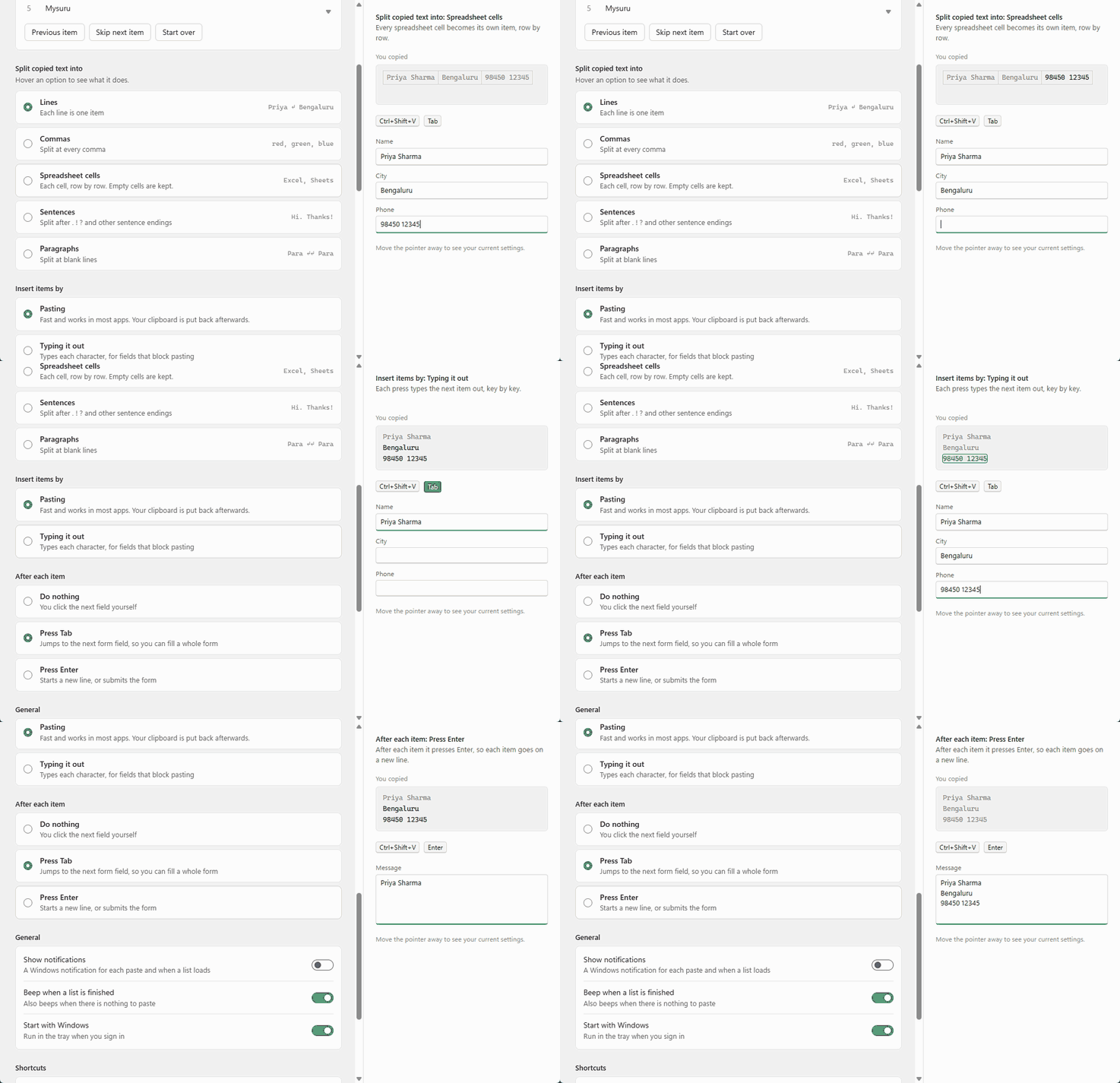
Right-click the tray icon for the same controls: what's next, skip or go back, and every setting.
Four shortcuts. One you'll use.
Get it in under a minute.
Free and open source. Installs for your account only, no admin rights needed, with an option to start with Windows.
Windows may show a SmartScreen warning because the app isn't code-signed yet. Choose More info, then Run anyway. The full source is on GitHub.